How to Find Microsoft CSP Promotions Before You Order
By CloudCockpit Team | Published: November 16, 2026 | Last updated: November 16, 2026
To use a Microsoft CSP promotion, you need three answers before you submit the order:
- which promotions exist for the product,
- whether this customer is eligible, and
- what happens to the price at renewal.
Partner Center gives you the first answer, but the second depends on the customer's tenant at the moment of purchase, and the third usually surfaces only when the invoice changes. This guide explains how new commerce promotions work for license-based subscriptions and how to check each answer before you transact.
What are Microsoft CSP promotions?
Microsoft CSP promotions are time-bound discounts that Microsoft applies to the partner price of eligible new commerce SKUs. The discount is applied to the partner price, not to the estimated retail price (ERP), and it lasts for the term of the purchase.
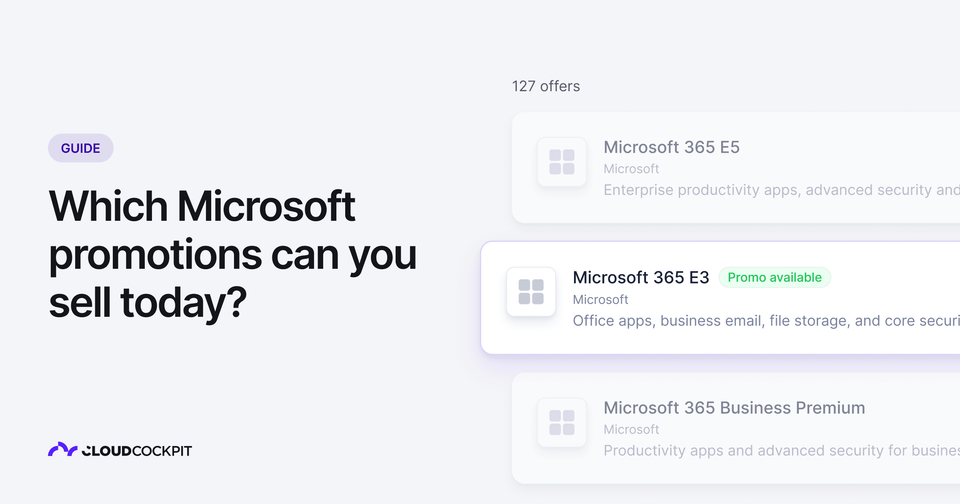
Each promotion is defined by product, SKU, term, billing cycle, market and segment. For example, Microsoft announced a Microsoft 365 E3 offer with 30% off the net partner price for eligible customers who buy at least 300 new licenses, available from October 27, 2026 to June 30, 2027.
Price list files do not include promotional pricing. Promotion data comes from the Partner Center catalog, the Benefits page in the Pricing workspace or the getPromotions API.
This guide covers license-based new commerce subscriptions. Azure consumption promotions went live in CSP on November 2, 2026 and follow a separate redemption process.
For direct bill partners: your quotes and margin model need a second data source next to the price list. A quote built from the price list alone shows the non-promotional price.
Why do CSP partners miss available promotions?
Partners miss promotions because promotion data changes often and lives apart from the place where the order happens. Microsoft maintains its promotions list editorially and updates it monthly, and terms can change between two announcements.
A recent example: in its July 2026 Partner Center announcements, Microsoft said Microsoft 365 E7 promotions would run through December 31, 2026. In the August 2026 announcements, Microsoft said that the same promotional offers would retire on October 1, 2026.
Since March 11, 2026, direct bill partners and distributors can view and download active promotions on the Benefits page of the Partner Center Pricing workspace. That gives you one central list per market and segment, but it does not tell you whether a specific customer qualifies.
For direct bill partners and MSPs: if your team quotes from a downloaded list, review it at least monthly and check the Partner Center announcements before you give a customer a promotion end date.
CloudCockpit note: A promotion list downloaded at the start of the month is a snapshot. The E7 change shows that an end date on that snapshot can become wrong within weeks. Treat any promotion end date you send to a customer as provisional until you check it again on the day you quote.
What makes a customer eligible for a Microsoft promotion?
A customer is eligible when the purchase meets every constraint attached to the promotion, and Microsoft checks those constraints against the customer, not against the partner. The most common constraints are:
- License count (seats). Promotions can set a minimum and a maximum number of licenses. Limits are enforced across all partners, and minimums count licenses the customer already has from another partner or through web direct.
- Term and billing cycle. If the term of the transaction does not match the promotion, the transaction is billed at the non-promotional price.
- FirstPurchase (new to offer). The customer must not already have the product SKU. Trial subscriptions count against this constraint.
- Redemption limit. Some promotions can be applied only once per customer, whichever partner transacts.
- Prerequisite product ownership. The customer must already own a required product, which is most common for add-on promotions.
You can check eligibility on the Partner Center review page before you purchase, or call the verifyPromotionEligibility API with the customer tenant ID and the promotion ID. If the customer is not eligible, the API returns the conditions that were not met.
For direct bill partners and MSPs: because limits are per customer, another partner can consume a promotion between your quote and your order. Check eligibility again at order time, not only at quote time.
Which Microsoft promotions require manual selection?
Nearly all new commerce promotions apply automatically, and a small number require the partner to opt in at checkout. Microsoft documents Bridge to the Cloud 2 (BTTC2) as the exception: it targets customers moving from Dynamics on-premises products to Dynamics 365 cloud products.
For BTTC2, the partner must attest that the customer meets the eligibility criteria and then select the promotion on the review page. The promotions list in the Pricing workspace includes an IsAutoApplied field, which shows whether Microsoft applies a promotion automatically when its constraints are met.
CloudCockpit note: With an opt-in promotion, the eligibility decision moves from Microsoft's systems to your team. No automated check can confirm the customer's prior on-premises ownership, so the attestation is yours. Keep the supporting evidence with the order before you select the promotion.
What happens to promotional pricing at renewal?
A subscription keeps its promotional price at renewal only if the renewal date falls inside the promotion's date range, and otherwise it renews at the price list price. Promotions with a FirstPurchase constraint never carry into renewal: those subscriptions renew at standard pricing on their anniversary date.
During the promotion window, you can add licenses to the promotional subscription up to the license maximum. In Partner Center, the subscription details page shows whether the current promotion renews at the promotional or the non-promotional price.
For direct bill partners and MSPs: list the subscriptions whose promotional pricing ends before renewal, and contact those customers before the renewal date. Timing matters more since Microsoft replaced the free grace period with a paid Extended Service Term for expired subscriptions.
CloudCockpit note: The renewal is where a promotion turns into a customer conversation you did not plan. When a one-year discount ends before the anniversary, the customer's price for that subscription returns to the full price list amount. Telling the customer before the renewal is the difference between a planned price change and a billing complaint.
How do you check promotions and eligibility in CloudCockpit?
CloudCockpit shows Microsoft promotion data in the catalog, the order flow and the Upcoming Renewals report, so you do not need to leave the platform to check it. Keeping promotion data next to the order is the core job of a CSP management platform. CloudCockpit syncs the list of active promotions from Microsoft and shows the date of the last sync, and it checks eligibility against the customer in real time during each order.
Your customers see the same promotion labels in the customer portal, so the discount is visible where they buy. After purchase, the PromotionID, UnitPrice and EffectiveUnitPrice fields from Microsoft's reconciliation files are available in CloudCockpit billing reports.
Find a promotion in the catalog
- Open the catalog.
- Find a product with a promotion label.
- Select the product.
- Read the discount, the period and the conditions.
Order a product with an automatic promotion
- Open the customer's subscriptions.
- Create a new subscription or add licenses.
- Read the promotion in the price summary.
- If the promotion is not available, read the reason. For example, the customer has more licenses than the promotion maximum.
- Submit the order.
Order a product with a manual promotion
Caution: Confirm that the customer meets all the conditions before you select a manual promotion. CloudCockpit cannot check these conditions for you.
- Find the manual promotion in the order.
- Read all the conditions.
- Select the promotion.
- Confirm that the customer meets the conditions.
- Submit the order.
If you do not select the promotion, the order uses the standard price.
Find price increases before renewal
- Open the Upcoming Renewals report.
- Find the subscriptions with promotional pricing.
- Check whether the promotion continues at the renewal date.
- If the promotion does not continue, contact the customer before the renewal date.
The Bottom Line
Microsoft promotions pay off only when you confirm eligibility at the moment of the order and track the end date through to renewal. Two dates matter right now: the current Microsoft 365 Copilot Business promotions run through December 31, 2026, with new Copilot Business purchases moving to new offers from December 1, 2026, and the Microsoft 365 E3 30% targeted offer runs to June 30, 2027. Microsoft is also shifting part of its partner investment toward growth margin, which stacks with customer promotions, so the number of price variables on each CSP deal is going up, not down.
Sources
- Microsoft Learn: New commerce promotions
- Microsoft Learn: Verify promotion eligibility API
- Microsoft Learn: Growth margins
- Partner Center announcements, October 2026: CSP promotions and incentives
- Partner Center announcements, November 2026: Azure promotions are now live in CSP
- Microsoft Global Promo Readiness Guide (Partner Center sign-in required)